
Calculator Plus Free6.4.5h - AppGallery
You'll be able to see results in few seconds.
Publisher Description
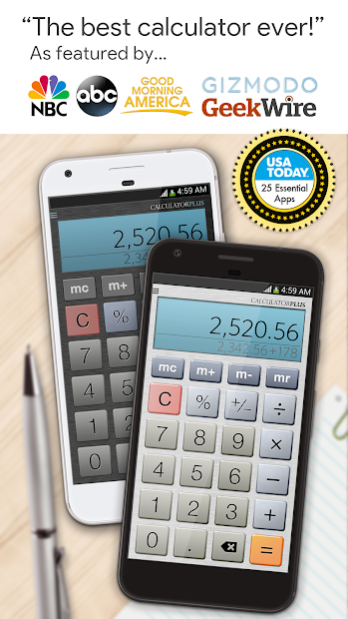
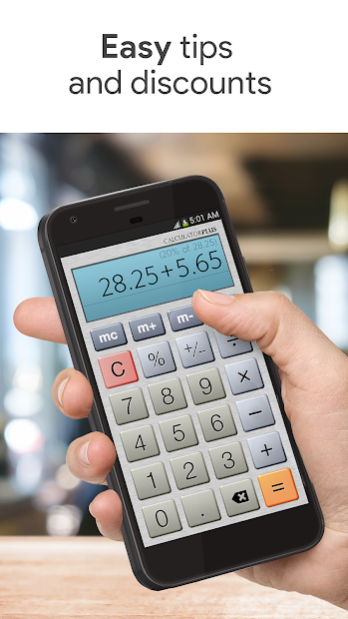


USA TODAY named Calculator Plus among its "25 Essential Apps", calling it the "handy calculator app that's garnered great user ratings"
I'm Calculator Plus - the perfect calculator for Android. I'm easy to use and beautifully designed to do things better than your phone or handheld calculator ever did.
I love saving you time and effort. I remember everything you calculate, and let you review it anytime, making me perfect for shopping, doing homework, balancing checkbooks, or even calculating taxes. And if you quit the calculator and go do something else, it's all still here when you come back. You'll never need to type the same calculation twice again.
I'm attractive and effective and I make great use of your big, beautiful display:
- You'll never forget where you are in a calculation - I show you exactly what's happening at all times
- I remember everything, so you can take a break, then come back later and pick up where you left off
- I show your calculations in clear, elegant type that's easy to read, with commas just where they should be
- You can use backspace anytime to correct a simple mistake, instead of starting over
- Use memory to keep a running total you can actually see
- My percentage key shows exactly what it did, so you're not left confused
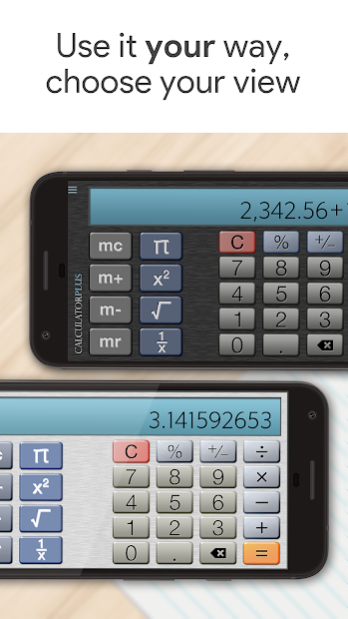
- Swipe memory keys aside for advanced math functions!
- Full support for Multi-Window - true multitasking for your device.
- My intuitive, lovable design makes it simple to do everyday calculations on your phone or tablet
Let Calculator Plus and your phone or tablet finally put that handheld calculator to rest!
This is an ad supported version - our ad-free version is also available.
Calculator Plus (C) 2019 Digitalchemy, LLC
About Calculator Plus Free
The company that develops Calculator Plus Free is Digitalchemy LLC. The latest version released by its developer is 6.4.5h.
To install Calculator Plus Free on your Huawei device, just click the green Continue To App button above to start the installation process. The app is listed on our website since 2023-02-03 and was downloaded 0 times. We have already checked if the download link is safe, however for your own protection we recommend that you scan the downloaded app with your antivirus. Your antivirus may detect the Calculator Plus Free as malware as malware if the download link to C101719925 is broken.
How to install Calculator Plus Free on your Huawei device:
- Click on the Continue To App button on our website. This will redirect you to Huawei Store.
- Once the Calculator Plus Free is shown in the Huawei Store listing of your Huawei device, you can start its download and installation. Tap on the Install button located below the search bar and to the right of the app icon.
- A pop-up window with the permissions required by Calculator Plus Free will be shown. Click on Accept to continue the process.
- Calculator Plus Free will be downloaded onto your device, displaying a progress. Once the download completes, the installation will start and you'll get a notification after the installation is finished.
Program Details
System requirements
Download information
Pricing
Version History
version 6.4.5h
posted on 2023-02-03
Disclaimer
Official AppGallery Link
We do not host Calculator Plus Free on our servers. We did not scan it for viruses, adware, spyware or other type of malware. This app is hosted by Huawei and passed their terms and conditions to be listed there. We recommend caution when installing it.
The AppGallery link for Calculator Plus Free is provided to you by apps112.com without any warranties, representations or guarantees of any kind, so access it at your own risk.
If you have questions regarding this particular app contact the publisher directly. For questions about the functionalities of apps112.com contact us.
